
Motherboard Repair in Delhi – Laptop & Desktop Chip-Level Repair
A motherboard fault can make a perfectly usable computer look completely dead. Your laptop may stop charging, a desktop may power on without display, USB ports may fail, the system may restart randomly, or liquid damage may cause a short circuit. Laptop Repair Lab provides motherboard repair and motherboard replacement support for laptops, desktops, gaming computers, workstations and selected all-in-one PCs across Delhi.
We focus first on diagnosing the actual board fault. Where the defective circuit or component can be repaired reliably, chip-level motherboard repair may save the cost of replacing the complete board. Where repair is impractical or the board is too badly damaged, replacement can be considered instead.
Same-day pickup support is available from Nehru Place and nearby Delhi areas, subject to timing and availability.

What Does Motherboard Repair Actually Mean?
The motherboard is the main circuit board that connects and controls critical parts of a computer. Power regulation, charging, processor communication, memory, storage interfaces, display output, USB connectivity, audio, networking and many other functions depend on circuits located on or connected through the board.
When a computer develops a motherboard-related fault, replacing the entire motherboard is not automatically the only solution. In many cases, the failure may be limited to a power circuit, charging section, damaged connector, BIOS circuit, MOSFET, controller IC, corroded track or another board-level component. A proper diagnosis helps determine whether component-level repair is technically sensible or whether complete motherboard replacement offers the better outcome.
Signs Your Computer May Need Motherboard Repair
Not every power, charging or display problem comes from the motherboard. These symptoms, however, are common reasons customers request motherboard diagnosis.
Computer Completely Dead
You press the power button and nothing happens: no fan, no indicator light and no display. The problem could involve the input power circuit, a shorted component, damaged power rail or another board-level failure.
Power On but No Display
The laptop or desktop appears to start, LEDs may illuminate and fans may spin, but the screen remains blank. Diagnosis may involve memory, BIOS, display circuitry, GPU-related faults or other motherboard components.
Charging or Power Failure
A laptop may detect the adapter but refuse to charge, charge intermittently, switch off when the adapter moves or show no charging indication. The DC input, USB-C power path, charging IC or associated board circuitry may need inspection.
Random Restart or Shutdown
Unexpected shutdowns under load can have several causes, including overheating and power supply problems. If external components test correctly, board-level power regulation or damaged circuitry may be involved.
Ports Stop Working
Repeated failure of USB, HDMI, LAN, audio, charging or storage interfaces can sometimes be traced to damaged connectors, controller circuits, corrosion or physical damage on the motherboard.
Liquid or Electrical Damage
Water, tea, coffee, humidity, electrical surge or an incorrect power adapter can damage board components and traces. Fast inspection is important because corrosion can continue even after the computer appears dry.
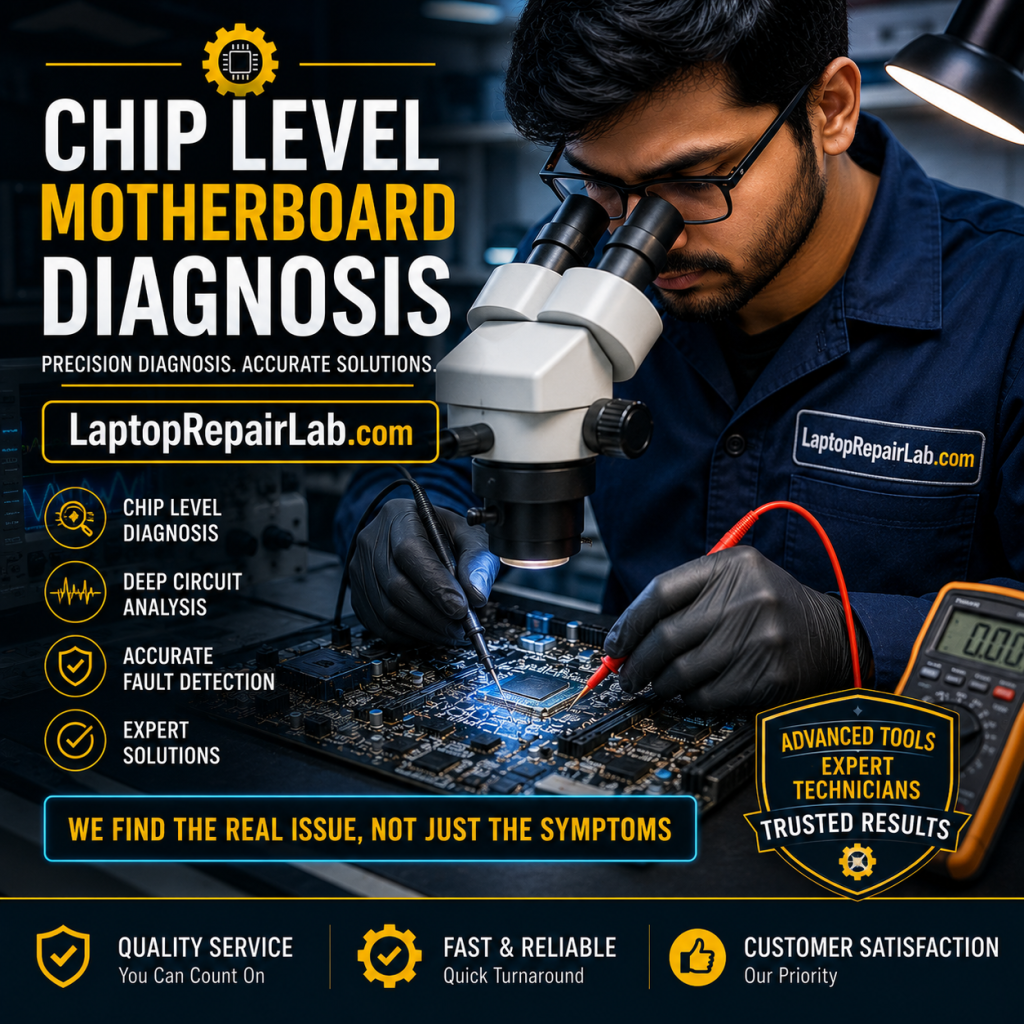
Chip-Level Motherboard Repair
Chip-level motherboard repair means diagnosing the faulty section of the board instead of immediately replacing the complete assembly. Depending on the computer design and the nature of the failure, repair may involve testing power rails, checking for shorts, inspecting damaged tracks, replacing failed discrete components or controller ICs, repairing connectors and restoring damaged circuitry.
This approach is particularly useful when a replacement motherboard is expensive, unavailable, discontinued or unnecessary. It can also make sense for premium laptops, gaming systems and older computers where replacing the entire machine would cost significantly more than repairing a specific board fault.
However, component-level repair is not always the right answer. Severe burn damage, extensive corrosion, multilayer PCB damage, unavailable proprietary chips or faults involving integrated processors may make replacement more practical. Good motherboard service is therefore about choosing the correct solution, not promising that every board can be repaired.
Motherboard Faults We Can Diagnose
A motherboard contains multiple interdependent circuits. The exact repair depends on the device and fault, but diagnosis may cover the following areas.
Power Input Circuit
Short circuit, failed MOSFET, damaged input components, DC-jack path faults and systems that show no sign of power.
Charging Circuit
Laptop charging IC, battery detection, adapter recognition, USB-C charging path and charging-related board faults.
BIOS / Firmware Faults
Systems that power up but fail POST, boot incorrectly or show symptoms associated with corrupt or failed board firmware.
Power Rail / VRM Issues
Diagnosis of voltage regulation problems supplying the CPU, GPU, memory and other motherboard subsystems.
Damaged Ports & Connectors
USB, HDMI, charging sockets, fan connectors, storage connectors and other physically damaged board interfaces.
Liquid Damage & Corrosion
Cleaning, inspection and diagnosis of affected components, pads and traces after liquid exposure or moisture-related corrosion.
Display Circuit Faults
No-display cases where the panel, cable and memory are not the cause and board-level display circuitry requires diagnosis.
Broken Tracks / PCB Damage
Selected damaged pads, traces and soldered connections may be repairable depending on the extent and location of board damage.
Controller / IC Failure
Selected motherboard controller and integrated circuit failures can be investigated when suitable diagnosis and replacement components are feasible.
Our Motherboard Diagnosis Process
A board should not be declared “dead” simply because the computer does not start. A structured diagnosis helps separate motherboard faults from problems involving the charger, battery, RAM, screen, storage, power supply or peripherals.
Symptom Check
We begin with what the computer does or does not do and any repair, liquid-damage or power-event history.
Isolation
External causes and replaceable components are considered before the fault is attributed to the motherboard.
Board Diagnosis
The affected section is inspected and tested to determine whether component-level repair is feasible.
Repair or Replace
Repair guidance and expected cost are shared before major work or complete board replacement proceeds.
Computer dead or showing a motherboard fault?
Send the brand, model, symptoms and pickup location on WhatsApp.
Laptop Motherboard Repair
Laptop motherboards are compact and highly integrated. Charging circuits, processor power delivery, display functions, storage interfaces and many controllers may all exist on the same board. A single board-level failure can therefore produce symptoms that look unrelated.
We handle motherboard repair enquiries for standard laptops, business laptops, ultrabooks and gaming laptops. Common requests include a dead laptop, no charging, no display, liquid damage, intermittent power, damaged charging socket, sudden shutdown or a laptop that powers on but never reaches the manufacturer logo.
For laptops with a costly or difficult-to-source replacement board, component-level repair may be especially worth investigating before replacing the motherboard.
Desktop Motherboard Repair
Desktop motherboard faults can show up as no POST, no display, boot loops, dead USB ports, unstable power, damaged CPU socket areas, failed connectors or systems that refuse to start even after the power supply and other components have been checked.
Desktop systems have the advantage of more replaceable parts, which makes isolation important. RAM, graphics card, CPU cooling, storage devices and the PSU should not be confused with a motherboard failure. Once those possibilities are separated, the board can be assessed for repair or replacement.
Support can include branded desktops, custom-built PCs, gaming computers, office systems, workstations and selected all-in-one computers.
Motherboard Repair vs Motherboard Replacement
The best option depends on damage, board availability, computer value and the reliability of the proposed repair.
Repair May Make Sense When
- The fault is isolated to a repairable board section.
- A replacement motherboard is expensive or unavailable.
- The computer is otherwise in good condition.
- Damage is limited rather than widespread.
- The expected repair cost is sensible compared with device value.
- The required component and repair method are technically feasible.
Replacement May Be Better When
- The PCB has extensive burn, corrosion or multilayer damage.
- A critical integrated component makes repair unreliable.
- The same board has undergone several unsuccessful repairs.
- A suitable replacement board is available at reasonable cost.
- Repair cost approaches the cost of a reliable replacement.
- Physical board damage makes long-term reliability uncertain.
How Much Does Motherboard Repair Cost?
There is no meaningful single price for motherboard repair because “motherboard fault” describes many different failures. A damaged charging socket and a shorted power rail are not the same job. A desktop motherboard also differs greatly from a tightly integrated gaming laptop board.
The final motherboard repair cost depends on the computer model, fault complexity, component availability, previous repair attempts, liquid or burn damage, labour required and whether the board can be repaired at component level or needs replacement.
For this reason, the most useful first step is to share the brand, exact model number and symptoms. If the computer has been opened or repaired before, mention that as well. A confirmed estimate should follow diagnosis rather than a guess based only on the words “motherboard problem.”
What Affects Motherboard Repair Cost?
- Laptop, desktop, gaming PC or all-in-one design
- Brand and exact motherboard model
- Chip-level repair versus complete replacement
- Availability of suitable components or replacement board
- Liquid, corrosion, burn or physical PCB damage
- Previous soldering or unsuccessful repair attempts
- Whether additional parts are damaged
Motherboard Repair for Major Computer Brands
Repair feasibility depends on the board and fault, but motherboard diagnosis can be requested for a wide range of laptop and desktop brands.
Is Your Data Lost If the Motherboard Fails?
A motherboard failure does not automatically mean your files are gone. On many computers, personal data is stored on a separate SSD or hard drive. If that storage device is healthy, motherboard repair or replacement may be possible without destroying the data.
There are important exceptions. Some modern devices use soldered storage, encryption or hardware-dependent security. A failed storage device is also a separate problem from a failed motherboard. If your files are important, tell the technician before formatting, operating-system installation or storage replacement.
Where appropriate, data preservation should be considered as part of the repair plan rather than after work has already started.
Motherboard Repair in Delhi with Nehru Place Pickup Support
Laptop Repair Lab serves customers looking for motherboard repair in Delhi, including users around Nehru Place who prefer pickup and repair coordination instead of carrying a dead computer from shop to shop.
Same-day pickup support may be arranged from Nehru Place and nearby areas depending on time, traffic and availability. You can first send the model and symptoms on WhatsApp so the repair request is clearer before pickup is arranged.
Service Areas Around South Delhi
- Nehru Place District Centre
- Nehru Place Metro Station area
- Kalkaji and Govindpuri
- East of Kailash
- Chittaranjan Park (CR Park)
- Okhla and nearby South Delhi locations
This is a service-area and pickup offering; no false Nehru Place walk-in address is claimed on this page.
What to Do If You Suspect a Motherboard Fault
A few sensible steps can prevent a minor fault from becoming more serious.
Do This
- Stop using the computer after liquid exposure.
- Disconnect the charger or desktop power source where safe.
- Note exactly what happened before the fault began.
- Keep the correct adapter and accessories available for diagnosis.
- Tell the technician if your data is important.
- Share any previous repair history.
Avoid This
- Repeatedly powering on a liquid-damaged computer.
- Trying random incompatible chargers or power supplies.
- Heating the motherboard as a DIY “reflow” experiment.
- Allowing unnecessary formatting before data needs are discussed.
- Assuming a no-display symptom automatically means the screen is bad.
- Replacing the board before the actual fault is isolated.
Why Choose Laptop Repair Lab for Motherboard Repair?
A motherboard is one of the most expensive and complex assemblies in a computer, so diagnosis matters as much as soldering.
Repair + Replacement Options
We are not limited to one approach. If component-level repair is sensible, it can be considered; if the board is beyond economical repair, replacement can be discussed.
Diagnosis Before Major Work
The visible symptom is not always the actual fault. Diagnosis helps avoid replacing expensive components unnecessarily.
Convenient Delhi Pickup
Customers around Nehru Place and nearby areas can request same-day pickup support instead of visiting multiple repair counters with a dead computer.
Related Motherboard Repair Searches We Can Help With
Different users describe the same board-level problem in different ways. These are common service intents covered by this page.
Motherboard Repair FAQs
Can a damaged motherboard be repaired?
Is motherboard repair better than replacement?
How do I know if my motherboard is faulty?
Do you repair laptop motherboards in Delhi?
Do you repair desktop computer motherboards?
Can a dead laptop motherboard be repaired?
Can liquid-damaged motherboards be repaired?
Will motherboard repair delete my data?
How much does motherboard repair cost in Delhi?
Which motherboard brands do you repair?
Do you provide pickup from Nehru Place?
Need Motherboard Repair in Delhi?
Tell us what your computer is doing, share the brand and exact model, and mention whether the problem started after liquid damage, a power event or an earlier repair. We can then coordinate diagnosis, motherboard repair or replacement as appropriate.
Laptop Repair Lab • Motherboard repair and replacement support for laptops, desktops and computers in Delhi.